Mastering the Printer Driver Installation Process: A Comprehensive Guide
Installing printer drivers can seem like a daunting task, but it's a crucial step in ensuring your printer works seamlessly with your computer. In this article, we'll take you through the printer driver installation process, covering the various methods, common issues, and troubleshooting tips to help you install your printer drivers efficiently.
Understanding the Importance of Printer Driver Installation
Printer drivers are software components that enable your printer to communicate with your computer. Without the correct drivers, your printer may not function properly, leading to printing errors, slow performance, or even hardware damage. By installing the latest printer drivers, you can enjoy improved print quality, increased productivity, and enhanced printing capabilities.
Method 1: Installing Printer Drivers using Windows Update
Windows Update is the recommended method for installing printer drivers. To do this:
- Go to Settings > Update & Security > Windows Update.
- Click on "Check for updates" and wait for Windows to search for available updates.
- Install any available updates, including printer drivers.
Method 2: Installing Printer Drivers from the Printer Manufacturer's Website
Visit the printer manufacturer's website and follow these steps:
- Find the correct printer model and operating system.
- Download the printer driver package.
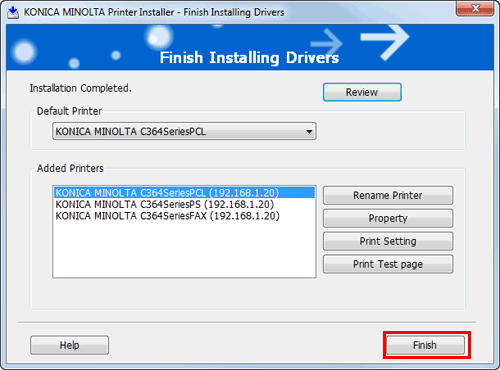
- Run the installation file and follow the prompts to complete the installation process.
Method 3: Installing Printer Drivers using the Device Manager
Use the Device Manager to install printer drivers:

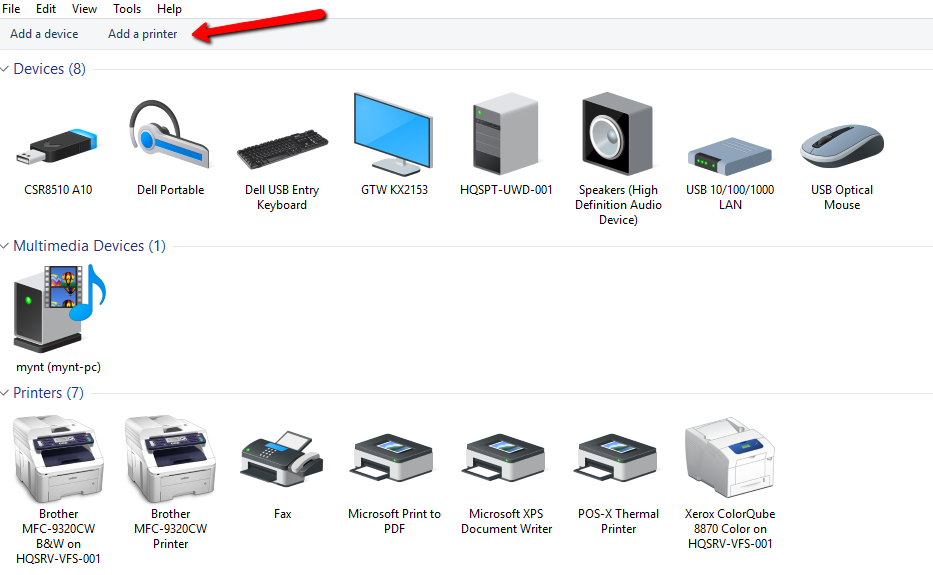
- Press the Windows key + X and select Device Manager.
- Locate the printer device and right-click on it.
- Select "Update driver" and follow the prompts to install the driver.
Common Issues and Troubleshooting Tips
Encountering issues during the printer driver installation process is common. Here are some troubleshooting tips to help you resolve common problems:
- Check for compatibility issues between the printer driver and your operating system.
- Ensure you have downloaded the correct printer driver package for your printer model and operating system.
- Try updating or reinstalling the printer driver package.
- Disable any antivirus software or firewalls that may be blocking the installation process.
Conclusion
Installing printer drivers is a crucial step in ensuring your printer works seamlessly with your computer. By following the methods outlined in this article, you can efficiently install your printer drivers and enjoy improved print quality, increased productivity, and enhanced printing capabilities. Remember to troubleshoot common issues and take advantage of the various resources available to ensure a successful installation process.
Additional Resources
For more information on printer driver installation, visit the printer manufacturer's website or consult online resources, such as:
- Microsoft Support
- HP Support
- Epson Support
- Zebra Support
By mastering the printer driver installation process, you'll be able to troubleshoot common issues, resolve printing errors, and enjoy improved printing performance. Happy printing!