Monitoring Your Child's Screen Time: A Comprehensive Guide
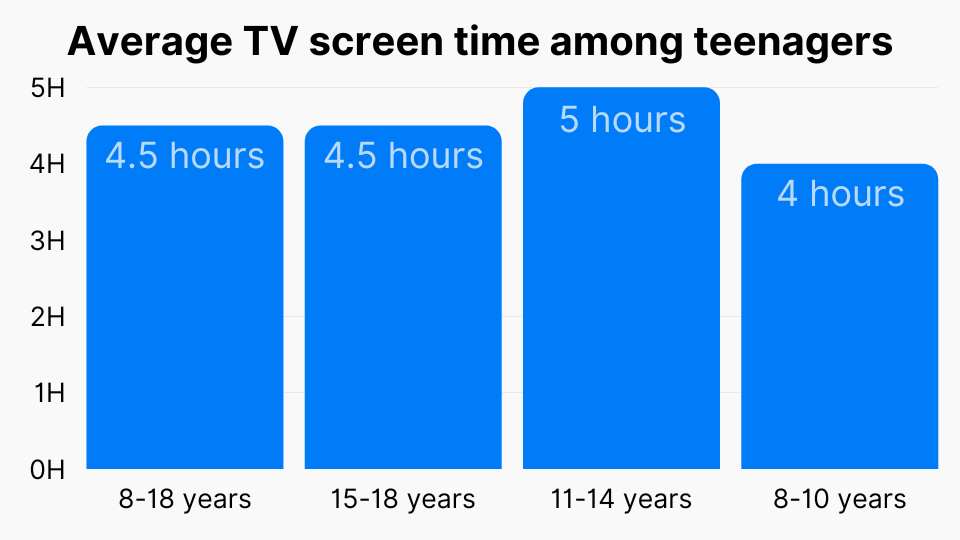
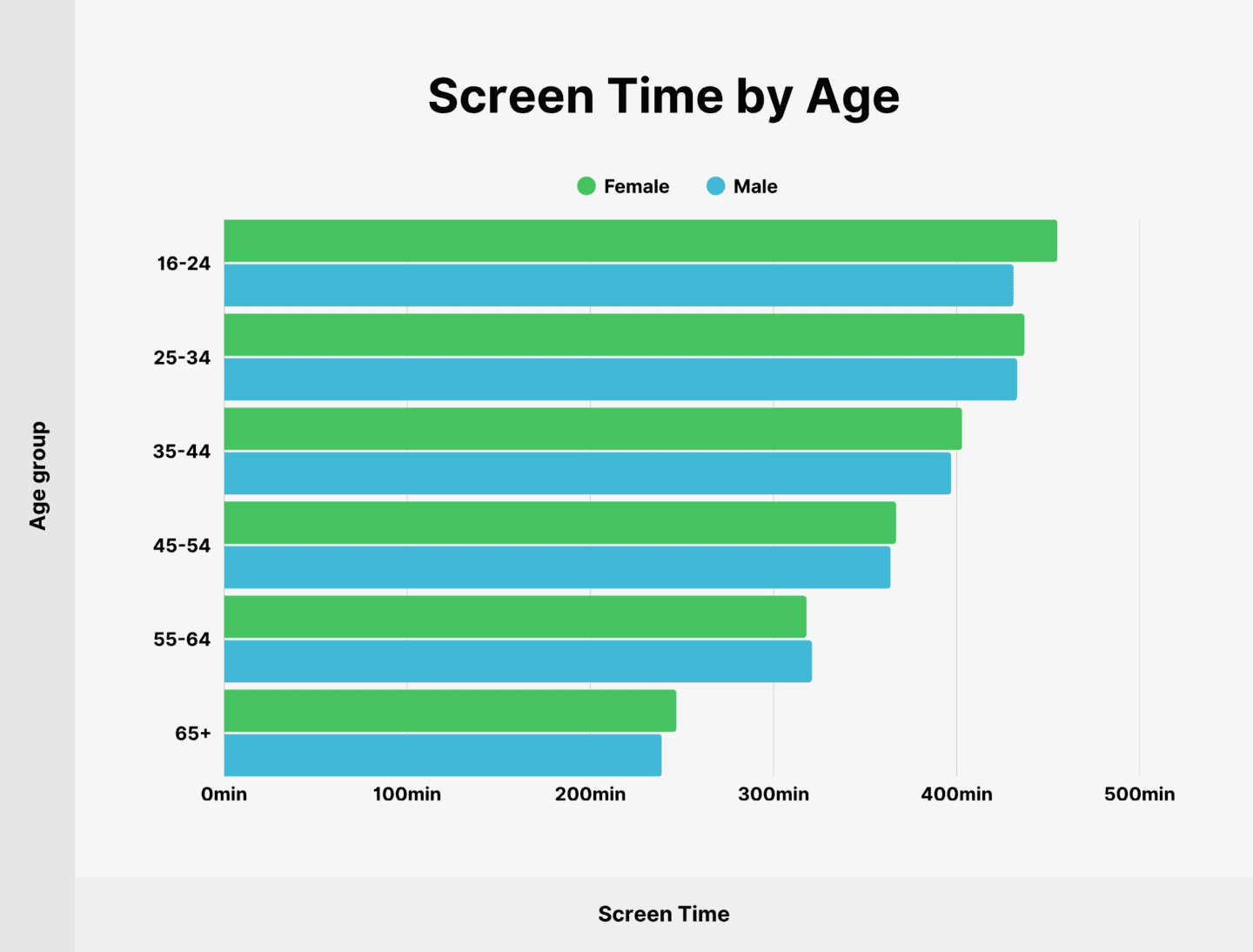
With the rapid advancement of technology, it's no secret that kids are spending more and more time staring at screens. Whether it's their smartphone, tablet, or laptop, excessive screen time has become a major concern for parents worldwide. In this article, we'll delve into the world of monitoring your child's screen time, discussing the benefits, challenges, and practical tips to help you achieve a healthy balance between screen time and other activities.
The Importance of Monitoring Screen Time
Excessive screen time has been linked to various health problems, including obesity, sleep deprivation, and decreased social skills. Monitoring your child's screen time can help mitigate these risks, ensuring they develop healthy screen habits and a balanced lifestyle. Moreover, by setting limits and guidelines, you can promote a positive relationship between your child and technology.
Using Screen Time Features on iOS Devices
For iPhone and iPad users, Apple's built-in Screen Time feature provides a robust set of parental controls. With Screen Time, you can monitor your child's device usage, set limits for specific apps, and even block content that's not suitable for their age. To access Screen Time settings on your child's device, go to Settings > Screen Time > Parental Controls. From there, you can create a passcode to lock Screen Time settings and restrict changes made by your child.
When using the Screen Time feature, consider the following options:
- Set a Screen Time passcode: Create a passcode for your child that must be entered before changing Screen Time settings.
- Check for sensitive images and videos: Have your child's device provide a warning if nudity is detected in images and videos.
Best Parental Control Apps for Android and iOS Devices

While Apple's Screen Time feature offers robust parental controls, third-party apps can provide additional features and functionalities tailored to specific device types. Here are some of the top parental control apps for Android and iOS devices:
- FamilyTime: A comprehensive parental control app for Android and iOS devices, offering location tracking, app blocking, screen time management, and web filtering capabilities.
- SurreptIt: An app that provides detailed reports of your child's browsing history and activity on specific apps.
- North Safety: A parental control app that offers features such as app blocking, screen time management, and remote device monitoring.
Expert Tips for Managing Screen Time
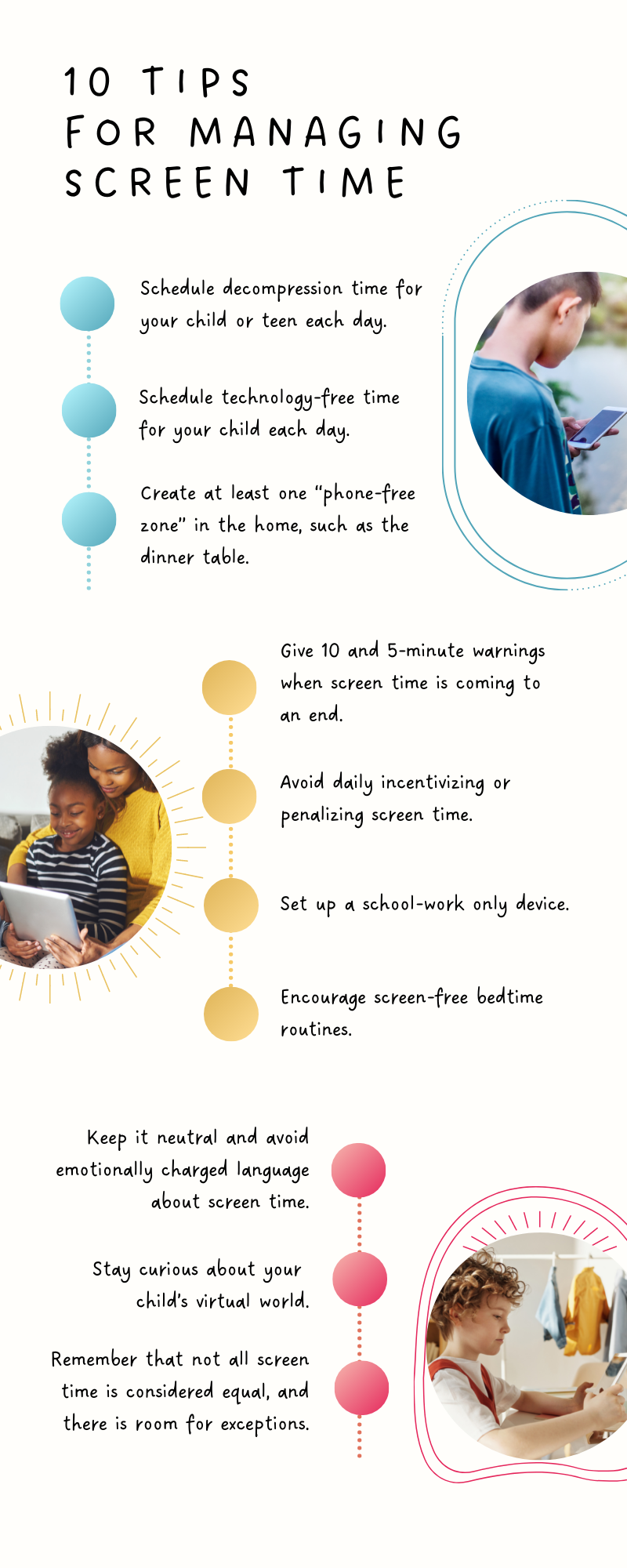
The key to successful screen time management lies in setting a good example and encouraging healthy habits from a young age. Here are some expert tips to help you navigate the world of screen time management:
- Set a good example: As a parent, it's essential to model healthy screen habits yourself.
- Develop a family screen time plan: Establish a plan that outlines screen time limits, guidelines, and expectations for each family member.
- Use screen time monitoring tools: Utilize built-in features or third-party apps to track your child's screen time and identify areas for improvement.
- Encourage physical activity: Make sure your child meets regular physical activity requirements to ensure a balanced lifestyle.
- Monitor online safety: Use parental control apps to block access to mature content, report online concerns, and stay up-to-date with the latest online safety guidelines.
Conclusion
Monitoring your child's screen time is a vital aspect of their overall development and well-being. By using built-in features, reputable parental control apps, and expert advice, you can ensure they develop healthy screen habits and maintain a balanced lifestyle. Remember that every child is different, and it's essential to adapt your approach based on their unique needs and circumstances. By working together with your child, you can achieve a healthy balance between screen time and other activities, promoting a lifelong love of learning and a bright, tech-savvy future.