How to Set Up Mesh WiFi Network: A Comprehensive Guide
Introduction
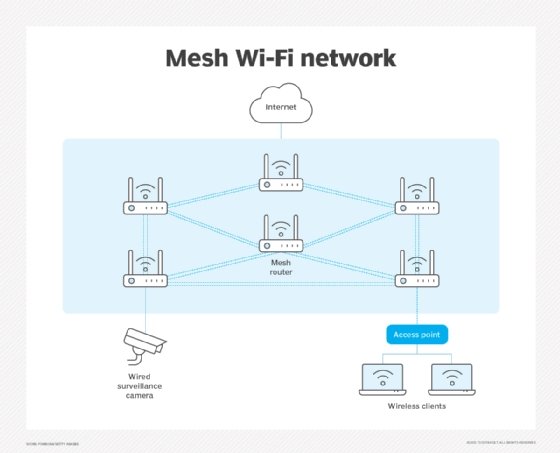
A mesh Wi-Fi network is a group of two or more access points that work together to create one wireless network. One access point connects to your modem or fiber ONT and serves as the primary router. Mesh networks use multiple nodes instead of a single router to extend coverage across your home, providing a strong and consistent wireless network throughout.
Benefits of Mesh Wi-Fi Network
- Fast and reliable Wi-Fi coverage, even in areas with thick walls or where traditional routers struggle to reach.
- Easier to set up and expand when needed.
- Most mesh Wi-Fi systems have companion mobile apps for users to create, monitor, and manage their Wi-Fi networks.
- Automates daily tasks with smart home devices, such as smart lighting and smart thermostats, require a strong signal in every corner of your home.
Choosing the Right Mesh Wi-Fi Network
Before setting up your mesh Wi-Fi network, it's essential to confirm your internet speed and home size so you know how many mesh nodes you'll need. Most mesh Wi-Fi systems can be added to your existing router, but make sure to check its age, ISP rules, and band support first.
Step-by-Step Guide to Setting Up a Mesh Wi-Fi Network
Step 1: Prepare the Router
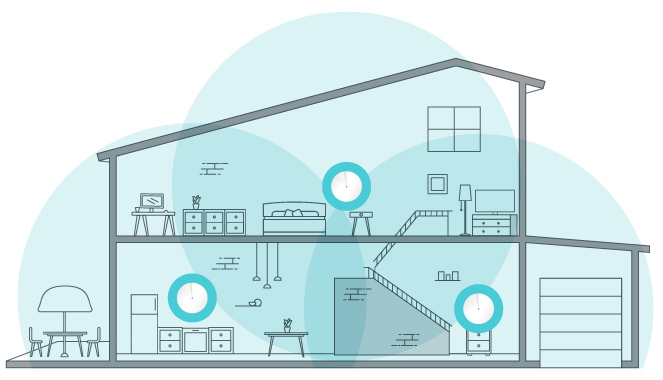
Position the primary router in a central location, ideally in the middle of your home. Make sure it's away from any other wireless devices and physical obstacles that may interfere with the signal.
Step 2: Install the Mesh Nodes
- Place the mesh nodes in areas where you want to extend the Wi-Fi coverage. Typically, this includes rooms or sections of your home that are far from the primary router.
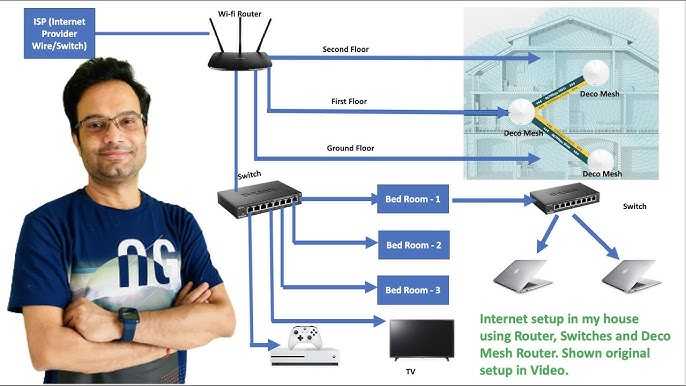
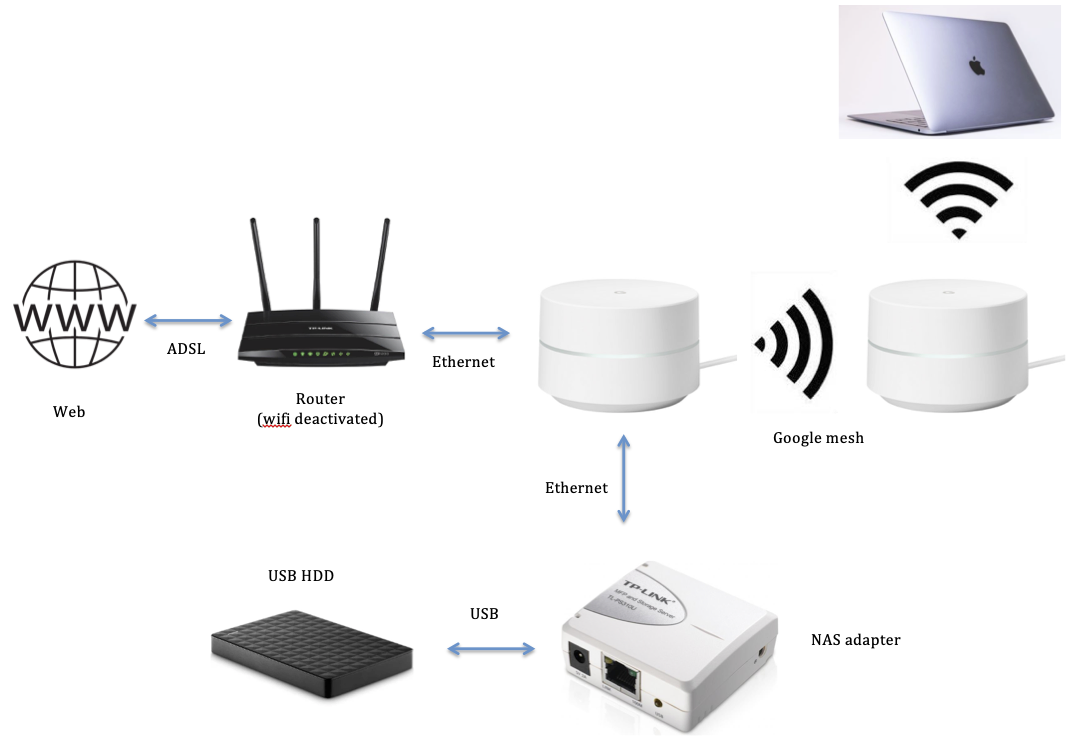
- Connect each mesh node to the primary router using a wired Ethernet connection.
Step 3: Configure the Mesh Network
- Use the companion mobile app to connect the mesh nodes to the primary router and create the mesh network.
- Configure the network name, password, and other settings according to your preferences.
- Monitor the network's performance and adjust settings as needed to ensure a strong and consistent connection throughout your home.
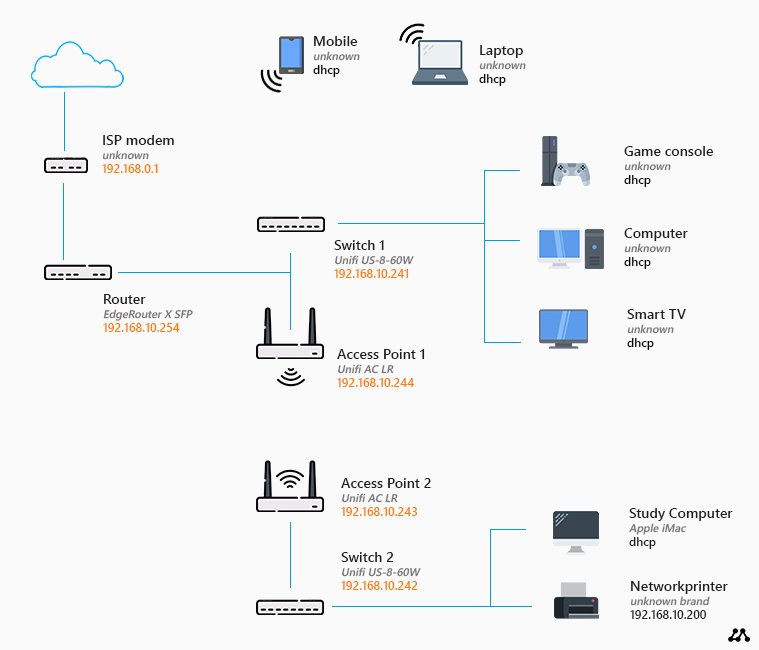
Step 4: Connect Devices to the Mesh Network
- Connect your devices, such as smartphones, laptops, and smart home devices, to the mesh network using the Wi-Fi credentials provided by the mesh nodes.
- Make sure to choose the correct Wi-Fi band and channel to optimize the connection speed and minimize interference.
Mesh Wi-Fi System Hardware Requirements
Mesh Wi-Fi systems typically require at least two nodes: one primary router and one or more mesh nodes. The mesh nodes can be placed anywhere in your home, but ideally, they should be positioned in areas where you want to extend the Wi-Fi coverage.
Making the Most of Your Mesh Wi-Fi Network
To ensure optimal performance and coverage, follow these tips:
- Position the mesh nodes in areas where you want to extend the Wi-Fi coverage.
- Keep the mesh nodes away from physical obstacles and other wireless devices that may interfere with the signal.
- Use a strong and consistent network name and password for all devices connected to the mesh network.
- Monitor the network's performance and adjust settings as needed to ensure a strong and consistent connection throughout your home.
Conclusion
Setting up a mesh Wi-Fi network can provide a strong and consistent wireless connection throughout your home. By following the step-by-step guide outlined in this article, you can easily set up a mesh Wi-Fi network and make the most of your home's internet coverage.
Common Issues and Troubleshooting Tips
If you experience any issues while setting up or using your mesh Wi-Fi network, refer to the following troubleshooting tips:
- Check the mesh nodes' physical position and make sure they are not obstructed by physical barriers.
- Ensure the network name and password are entered correctly on all devices connected to the mesh network.
- Restart the mesh nodes and primary router if you experience any connectivity issues.






_20240503035907n.png "How To Set Up A Wi-Fi Access Point At Home - T-Mobile")