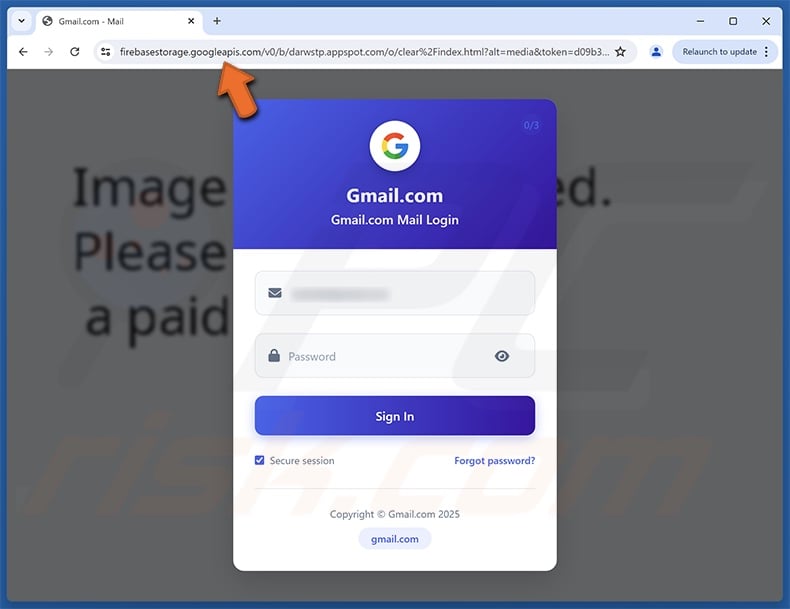
Check Email for Phishing Scams: How to Spot and Avoid
With the rise of phishing scams, it's more important than ever to take extra precautions when checking your email. Phishing scams are attacks that attempt to steal your money, or your identity, by getting you to reveal personal information on websites that pretend to be legitimate. In this article, we'll provide you with a comprehensive guide on how to check your email for phishing scams and how to avoid falling prey to these attacks.
What is a Phishing Scam?
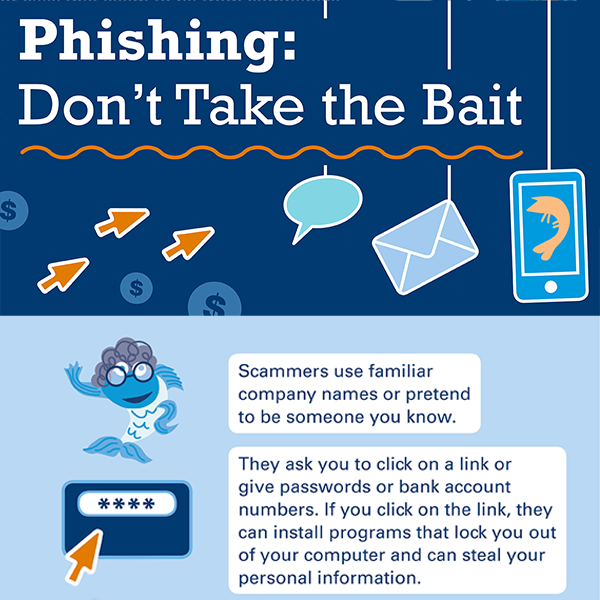
A phishing scam is an attempt to trick you into revealing personal or financial information by pretending to be a legitimate company, friend, or acquaintance. These scams can take many forms, including emails, text messages, and phone calls. The goal of a phishing scam is to gain access to your personal information, which can be used to commit identity theft, financial theft, or other malicious activities.
How to Check Your Email for Phishing Scams
Here are some steps you can take to check your email for phishing scams:
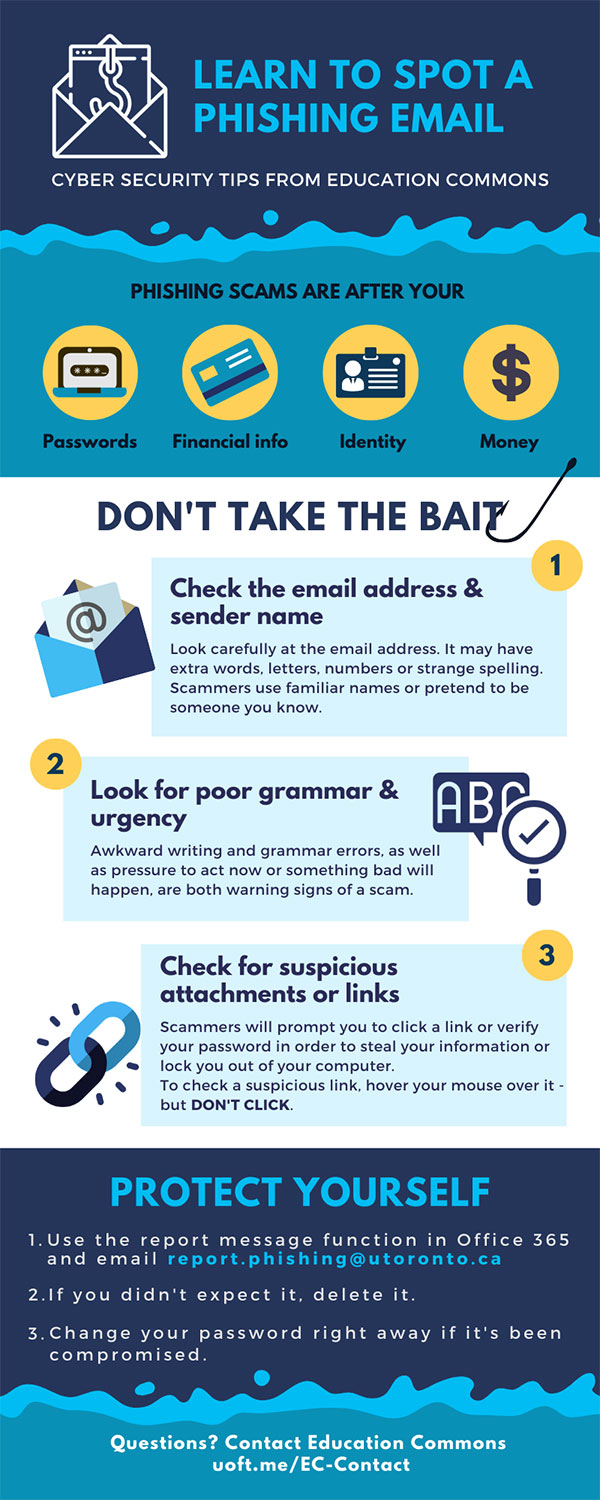
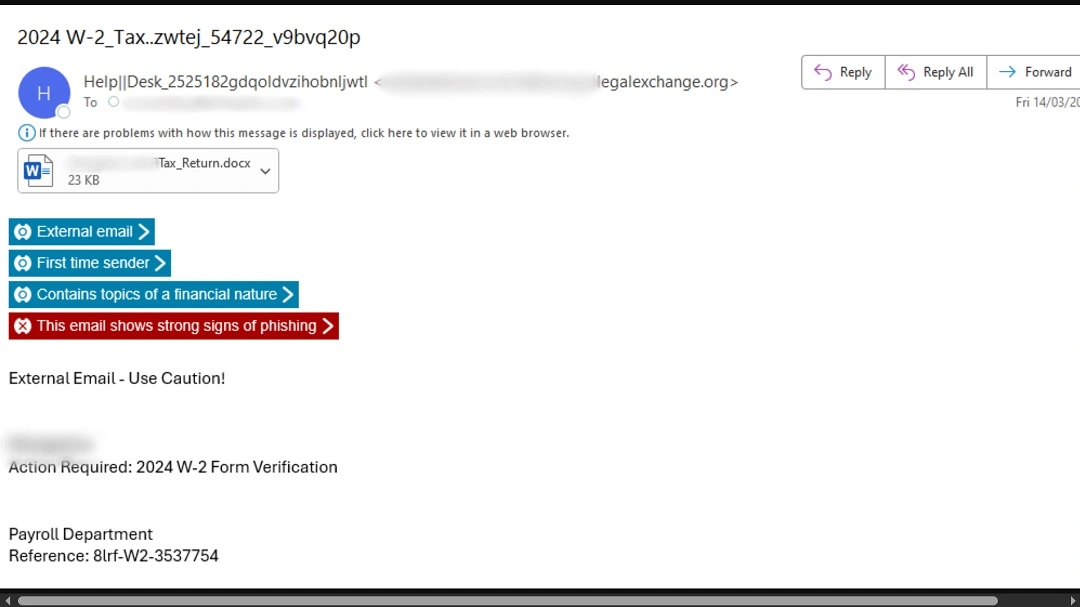
- Be cautious of unsolicited emails: If you receive an email from an unknown sender, do not click on any links or open any attachments. Delete the email immediately.
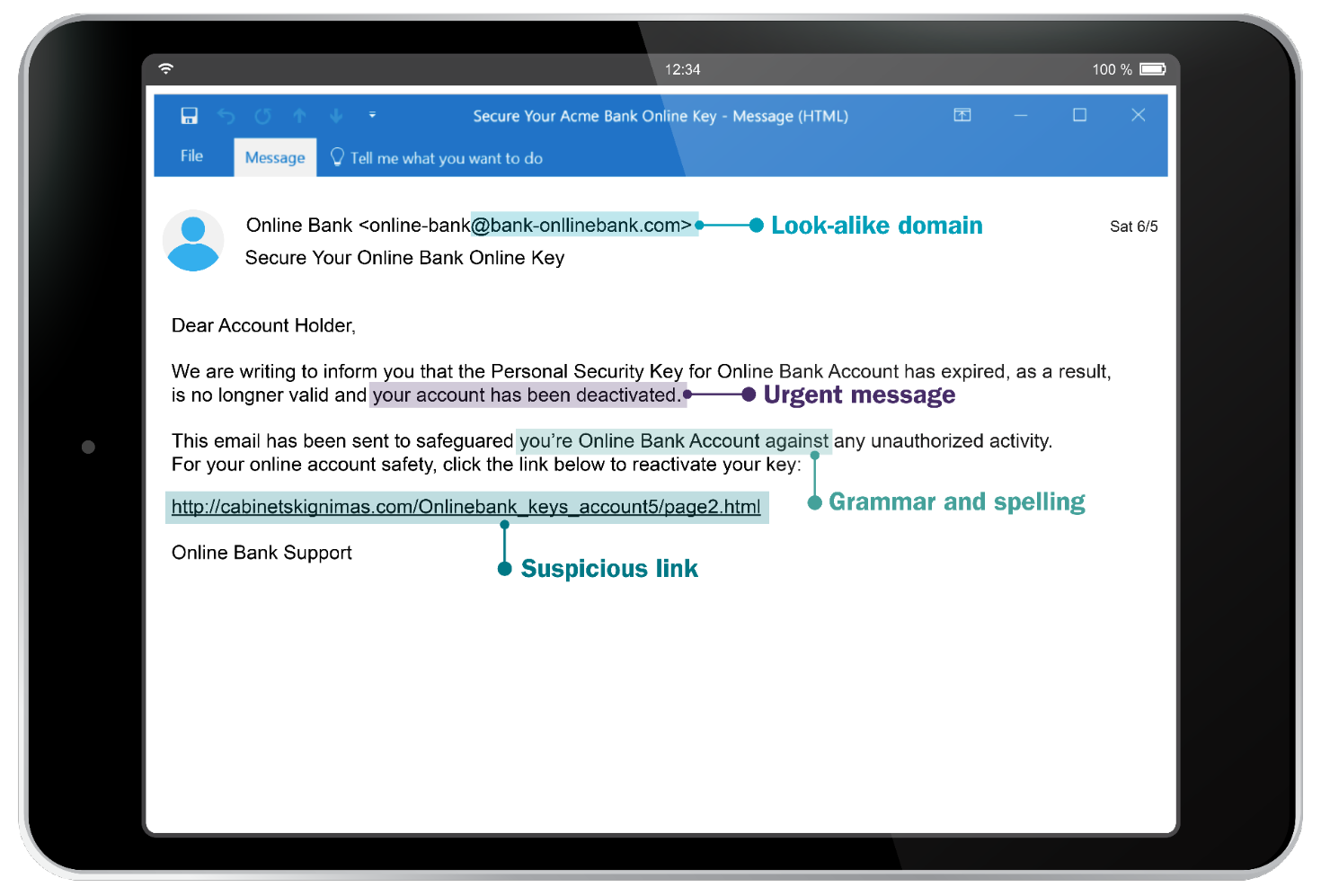
- Look for spelling and grammar mistakes: Legitimate companies usually have professional editors and proofreaders who review their communications. If an email has spelling and grammar mistakes, it may be a phishing scam.
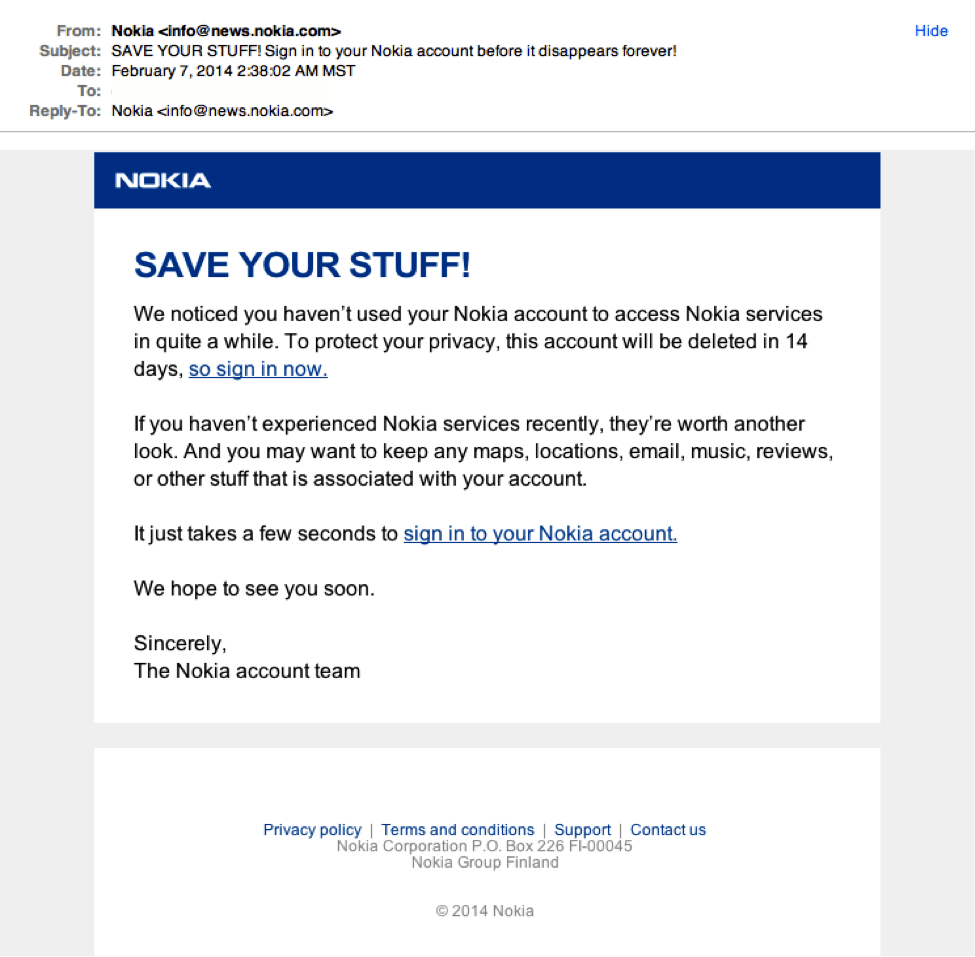
- Check the email address: Phishing emails often come from fake email addresses that are similar to legitimate email addresses. Check the email address carefully to see if it's legitimate.
- Be wary of urgency: Phishing scams often try to create a sense of urgency, such as saying that your account will be closed if you don't take action immediately. Legitimate companies will never create a false sense of urgency to get you to do something.
- Use a link checker tool: A link checker tool can help you identify malicious links in emails. You can copy and paste the link into the tool, and it will scan the link to see if it's safe.
- Use two-factor authentication: Two-factor authentication can help protect your account from unauthorized access. This requires you to enter a code sent to your phone or email in addition to your password.

How to Avoid Falling Prey to Phishing Scams
Here are some tips to help you avoid falling prey to phishing scams:
- Use strong passwords: Use a combination of letters, numbers, and special characters to create a strong password. Avoid using the same password for multiple accounts.
- Keep your software up to date: Make sure your operating system, browser, and other software are up to date. This will help protect you from known security vulnerabilities.
- Use a reputable antivirus program: A reputable antivirus program can help protect your computer from malware and other security threats.
- Be cautious of public Wi-Fi: Public Wi-Fi networks are often not secure, so avoid using them to access sensitive information. Instead, use a personal hotspot or a virtual private network (VPN).
- Use a password manager: A password manager can help you generate and store unique, strong passwords for each of your accounts.
Conclusion
Phishing scams are a growing threat to individuals and businesses alike. By being cautious and taking extra precautions, you can reduce your risk of falling prey to these attacks. Remember to always check your email address, look for spelling and grammar mistakes, and use a link checker tool to identify malicious links. Use strong passwords, keep your software up to date, and use a reputable antivirus program to protect your computer from security threats. By following these tips, you can help protect yourself from phishing scams and stay safe online.