Unlocking Social Media Account Security: 13 Essential Tips
Ensuring the security of your social media accounts is crucial in today's digital age. With the increasing threat of hacking, account takeovers, and data breaches, protecting your online presence has become a top priority. In this article, we will delve into the realm of social media account security tips, providing you with practical advice to safeguard your digital world.
Recognize the Risks
Before we dive into the tips, it's essential to understand the common threats that social media accounts face. These risks include:
- Hacking and account takeovers
- Phishing and password cracking
- Malware and ransomware attacks
- Scams and catfishing
Tip 1: CreateStrong Passwords
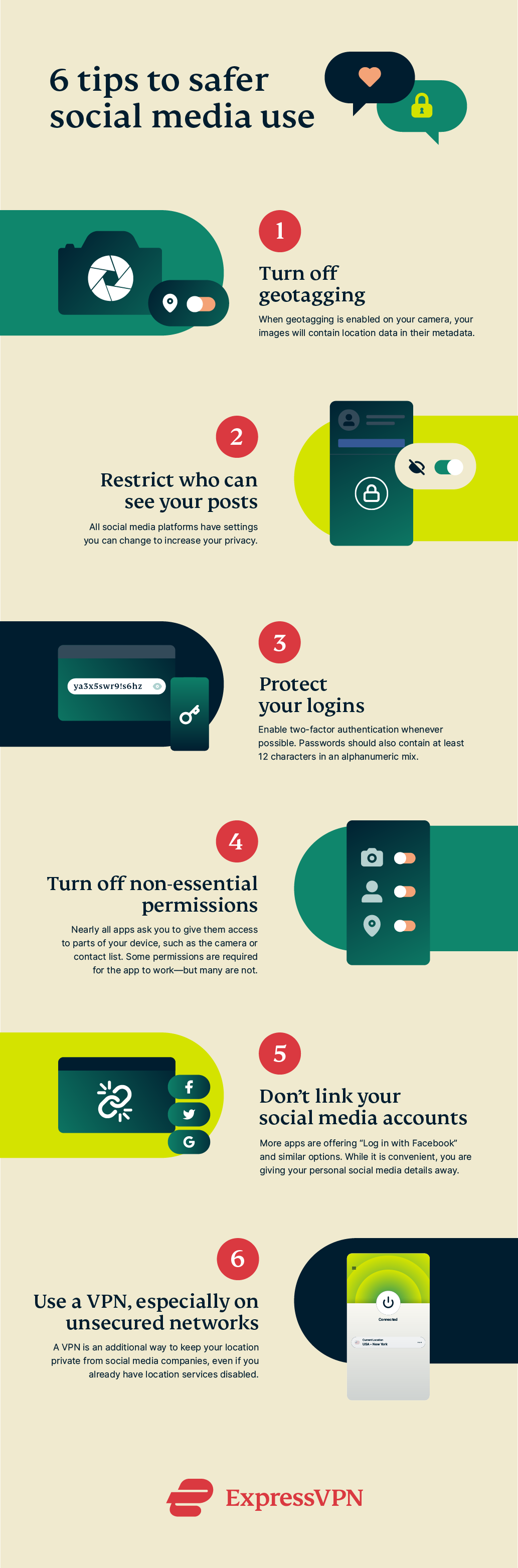
A weak password can be the door to your online world. Ensure that your passwords are complex, unique, and stored securely using a password manager. Aim to create a password that is at least 12 characters long, including a mix of uppercase and lowercase letters, numbers, and special characters.
Tip 2: Enable Two-Factor Authentication (MFA)
Two-factor authentication adds an extra layer of security to your account by requiring a second form of verification, such as a code sent to your phone or a biometric scan. This makes it significantly harder for hackers to access your account.
Tip 3: Monitor Your Account Activity
Keep a close eye on your account activity, including login attempts, posts, and messages. If you notice any suspicious activity, report it to the social media platform immediately.
Tip 4: Be Cautious of Phishing Scams
Be wary of links and attachments from unknown sources, as they may lead to malware or phishing attacks. Verify the sender's identity and check the URL before clicking on any links.
Tip 5: Update Your Software Regularly
Keep your social media apps and operating system updated to ensure you have the latest security patches and features.
Tip 6: Use a Virtual Private Network (VPN)
A VPN encrypts your internet traffic, making it difficult for hackers to intercept your data. This is particularly useful when using public Wi-Fi networks.
Tip 7: Set Up Account Alerts
Many social media platforms offer account alerts that notify you of suspicious activity, such as a login from an unfamiliar location. Take advantage of these features to stay informed.
Tip 8: Use Strong Account Recovery Questions
Choose account recovery questions that are difficult for others to answer, such as "What's your mother's maiden name?" or "Where did you meet your spouse?"
Tip 9: Limit Your Account Sharing
Be mindful of who you share your account with, including friends and family members. Only grant access to those you trust.
Tip 10: Use a Secure Browser
Use a reputable browser that has built-in security features, such as a password manager and malware protection.
Tip 11: Regularly Review Your Account Settings
Check your account settings regularly to ensure that all the information is up to date and accurate. Delete any unnecessary accounts and change your passwords seasonally.
Tip 12: Use a Security App
Install a reputable security app that scans your device for malware and offers additional security features, such as password analysis and file encryption.
Tip 13: Report Suspicious Activity
Report any suspicious activity or account takeovers to the social media platform immediately. This will help prevent further damage and ensure the account's security.
By following these social media account security tips, you can significantly reduce the risk of hacking, account takeovers, and data breaches. Remember to stay vigilant and adapt to the ever-changing landscape of online security.
Final Thoughts
Social media brings incredible opportunities, but it also poses real challenges that can impact your finances, reputation, and personal security. The tips outlined above give you practical ways to recognize the risks and protect your social media accounts.