Sitting Posture for Tech Neck Prevention: A Comprehensive Guide
Digital devices have become an integral part of our daily lives, and prolonged use of these devices can lead to a chronic condition known as Tech Neck. Understandably, this has become a significant concern for many people. Tech Neck, caused by poor posture while using digital devices, can lead to neck and back pain, headaches, and even permanent damage to the cervical spine. In this article, we will explore the importance of good sitting posture and provide practical tips on how to prevent and alleviate Tech Neck.
The Anatomy of Tech Neck
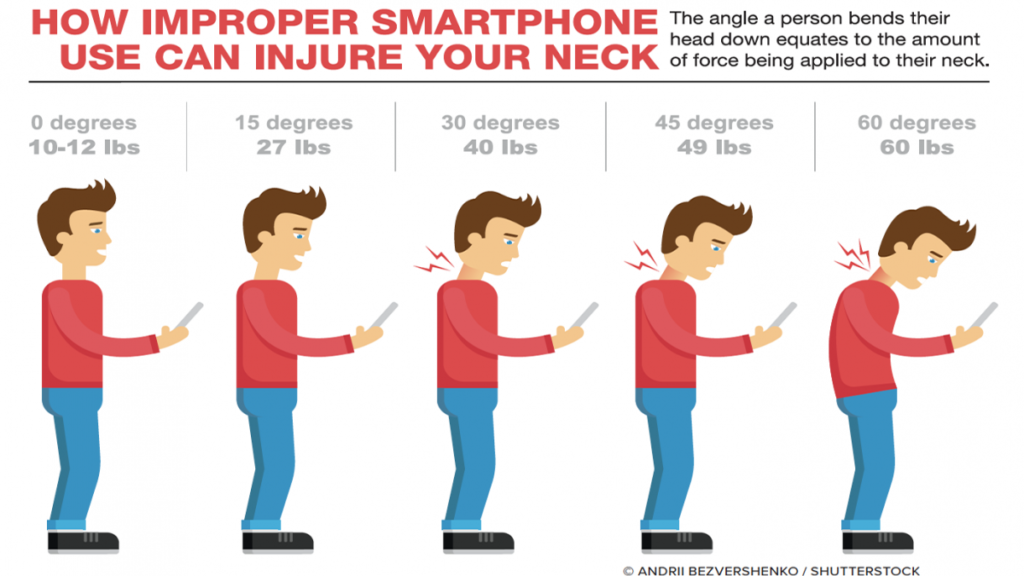
Think of your head as a heavy bowling ball; when you tilt it forward to look at a screen, the mechanical load on your neck multiplies exponentially. This forced posture generates Tech Neck, causing chronic contractures in the traps and frequent tension headaches. Understanding the mechanics of Tech Neck is crucial in addressing the issue effectively.
Causes and Symptoms of Tech Neck
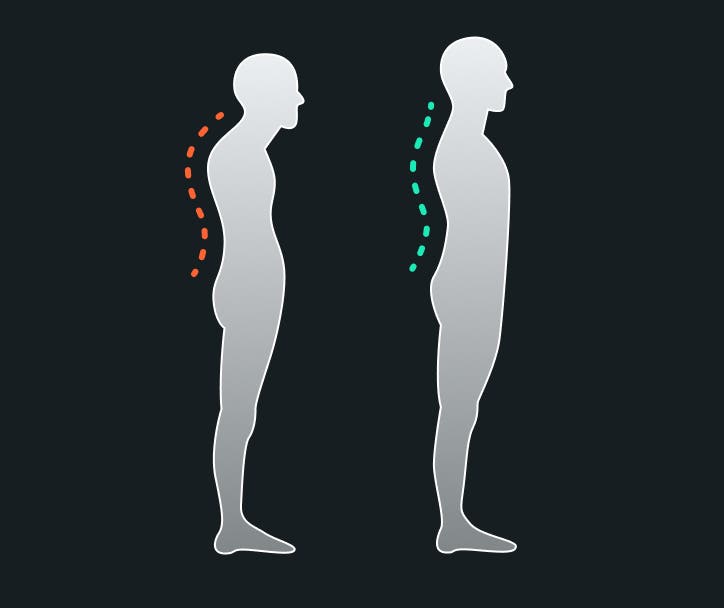
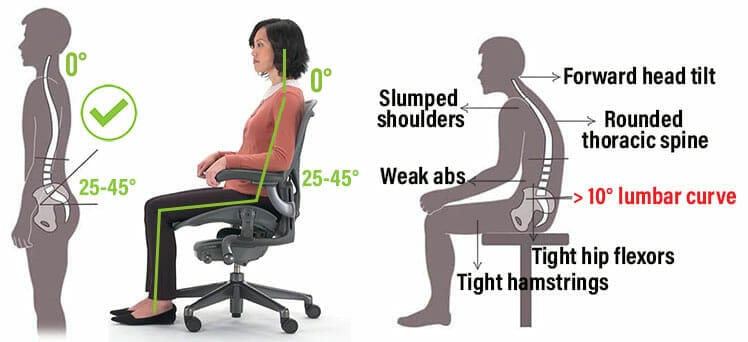
So, why do we develop Tech Neck? It's primarily caused by prolonged forward head posture, driven by the habit of staring at screens for extended periods. This can lead to neck pain, tension headaches, and even numbness in the hands. Moreover, Tech Neck can have long-term consequences, such as permanent forward head posture, rounded shoulders, and disc injuries.
Preventing Tech Neck
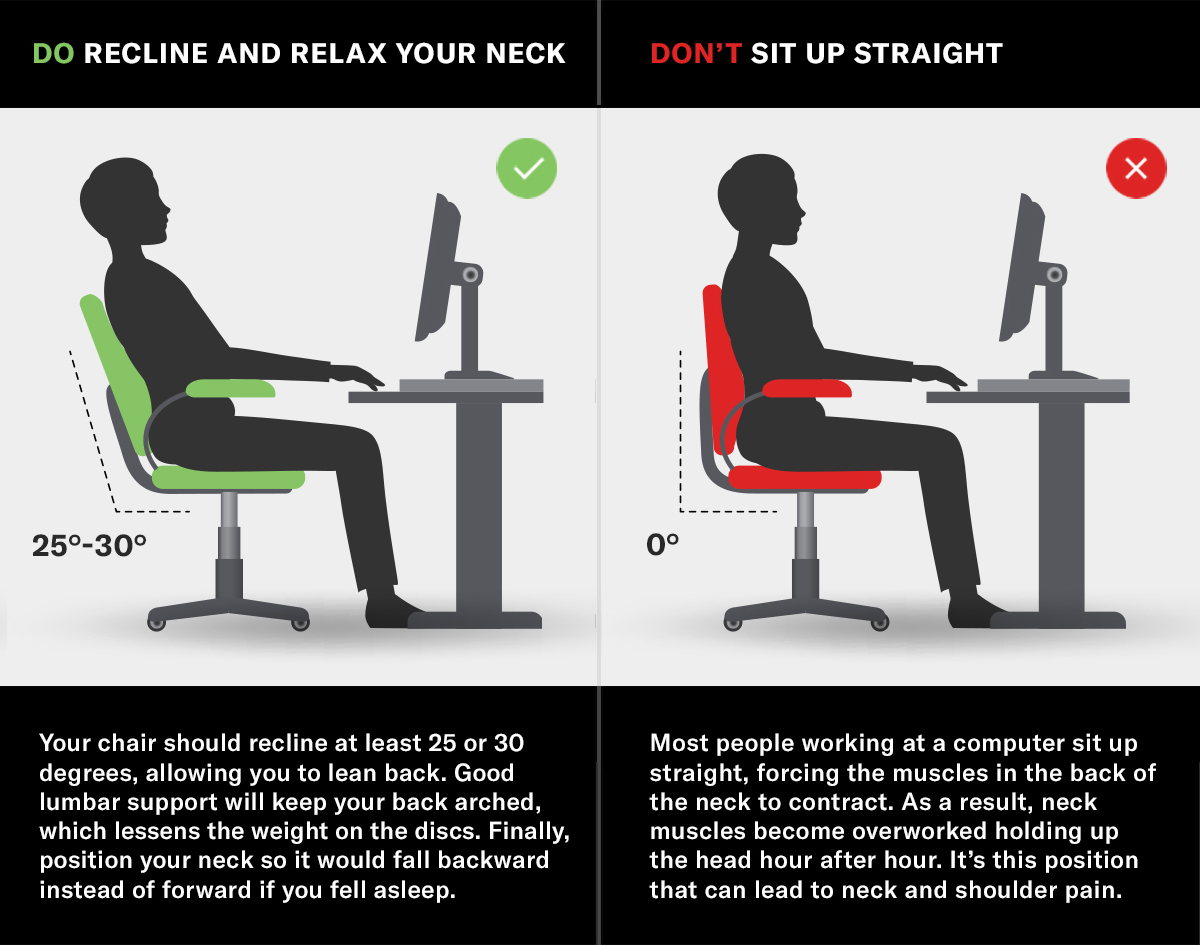
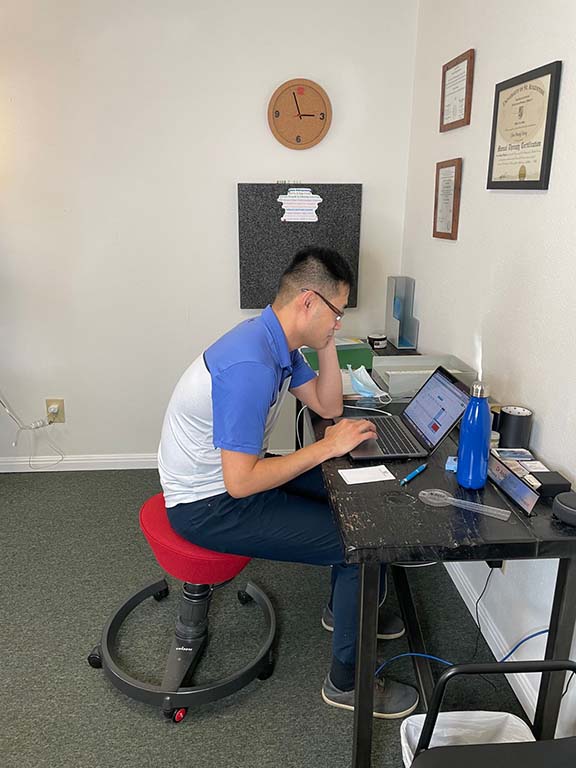
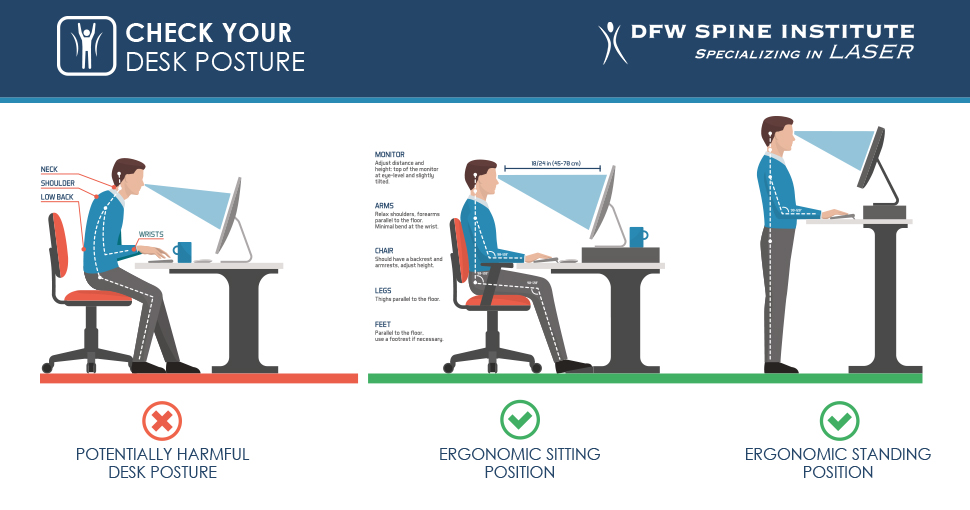
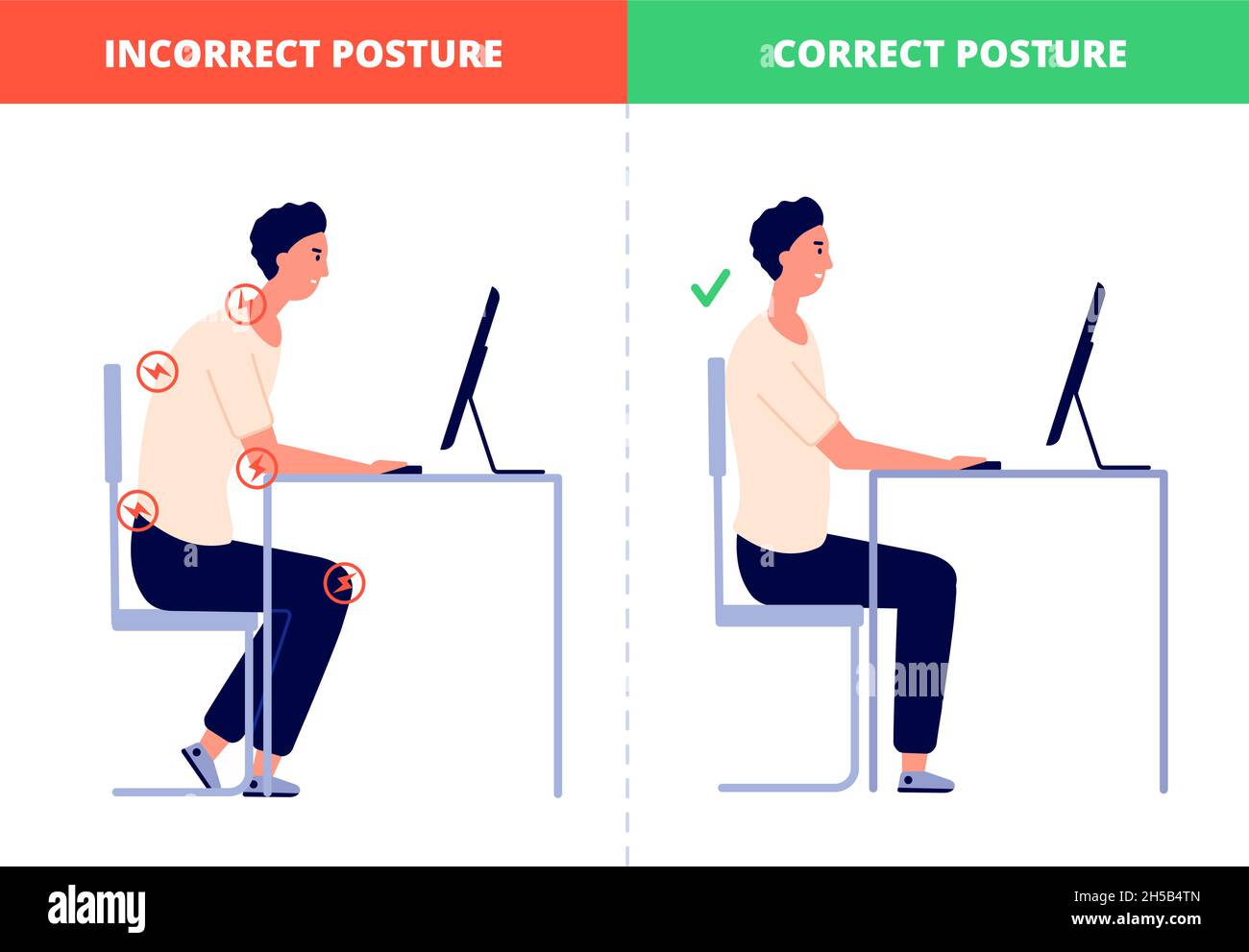
- Adjust Your Workspace: Ensure your workspace is set up to promote good posture. Place your monitor at the correct height, and position your chair ergonomically to avoid straining your neck.
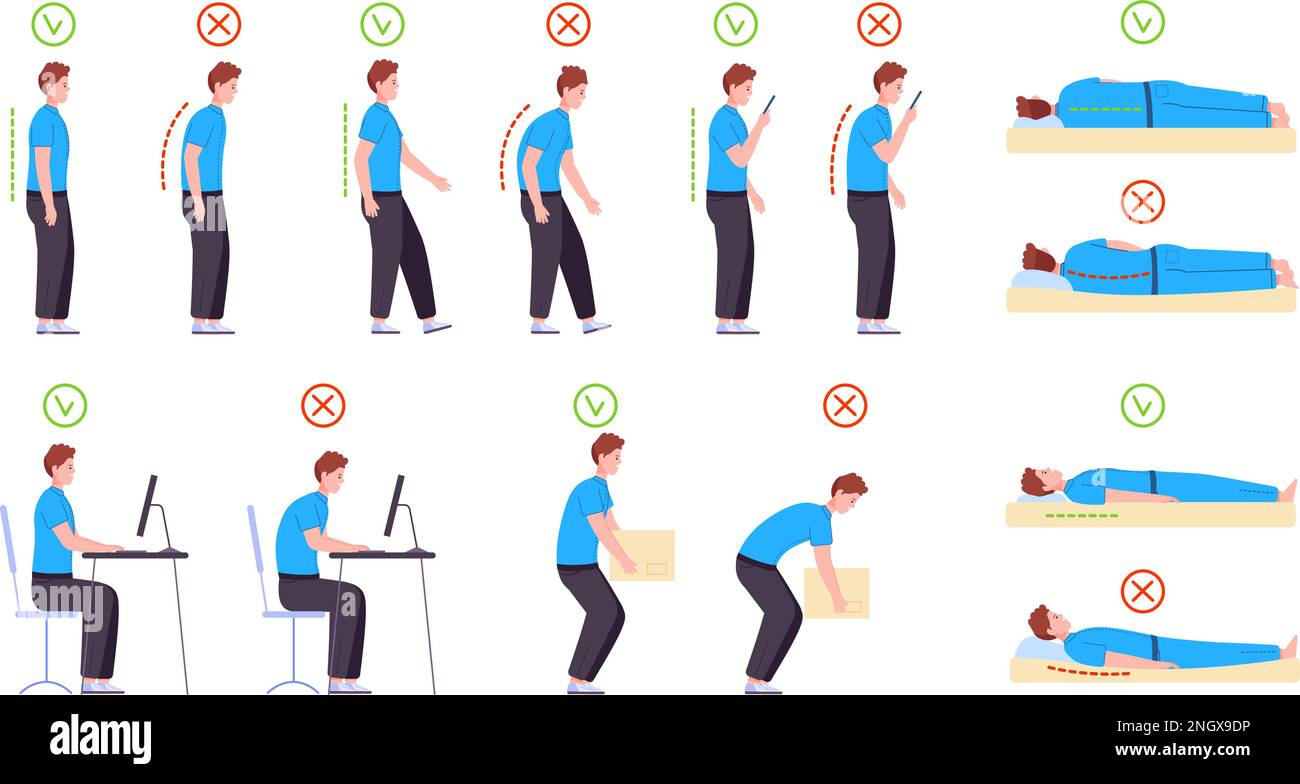
- Maintain Good Posture: Be mindful of your sitting posture. Maintain a straight spine, engage your core, and keep your shoulders relaxed.
- Take Breaks: Regularly take breaks to stretch and move around. Every 30 minutes, stand up, stretch your neck, and move your shoulders.
- Use Good Lighting: Position your screen to minimize glare and reflections. Use good lighting to avoid straining your eyes, which can lead to Tech Neck.
- Exercise Regularly: Engage in exercises that strengthen your neck and shoulder muscles. This will help improve your posture and mitigate the effects of Tech Neck.

Tips for Improving Posture
Here are some additional tips to help you improve your posture:
- Stretch Regularly: Incorporate stretches that target your neck, shoulders, and back into your daily routine.
- Use a Document Holder: Keep papers or documents at eye level to avoid straining your neck.
- Ergonomic Accessories: Invest in an ergonomic keyboard tray, monitor riser, and chair to promote good posture.
- Position Your Device: Position your device at the correct height and distance to minimize eye strain and promote good posture.
Conclusion
Sitting posture for Tech Neck prevention is a critical aspect of maintaining good spinal health. By understanding the causes and symptoms of Tech Neck, we can take practical steps to prevent and alleviate this condition. Remember, it's essential to be aware of your sitting posture and make adjustments as needed to avoid digital eye strain and promote good spinal health. By incorporating the tips provided in this article, you can reduce the risk of Tech Neck and maintain a healthy, happy back.
Additional Tips for Good Posture
For those who are struggling with Tech Neck and seeking additional help, consult with a healthcare professional, such as a chiropractor or physical therapist. They can provide personalized guidance on exercises, stretches, and ergonomic adjustments to improve your posture and alleviate neck pain.