Securing Your Facebook Account: A Guide to Protecting Your Online Identity
In today's digital age, maintaining a secure online presence is more crucial than ever. With cyber threats on the rise, it's essential to take proactive steps to safeguard your Facebook account. A secure Facebook account is your first line of defense against online scams, hacking, and unauthorized access. In this article, we'll delve into the importance of securing your Facebook account, explore advanced security features, and provide you with actionable tips to keep your online identity protected.
Why is it essential to Secure Your Facebook Account?
Facebook is one of the most popular social media platforms, with over 2.7 billion monthly active users. With so many users, it's a prime target for hackers and scammers looking to exploit vulnerabilities in user accounts. By securing your Facebook account, you can protect your personal data, maintain online credibility, and prevent unauthorized access to your account.
Advanced Security Features for Your Facebook Account
Facebook offers a range of advanced security features to help you protect your account. Some of these features include:
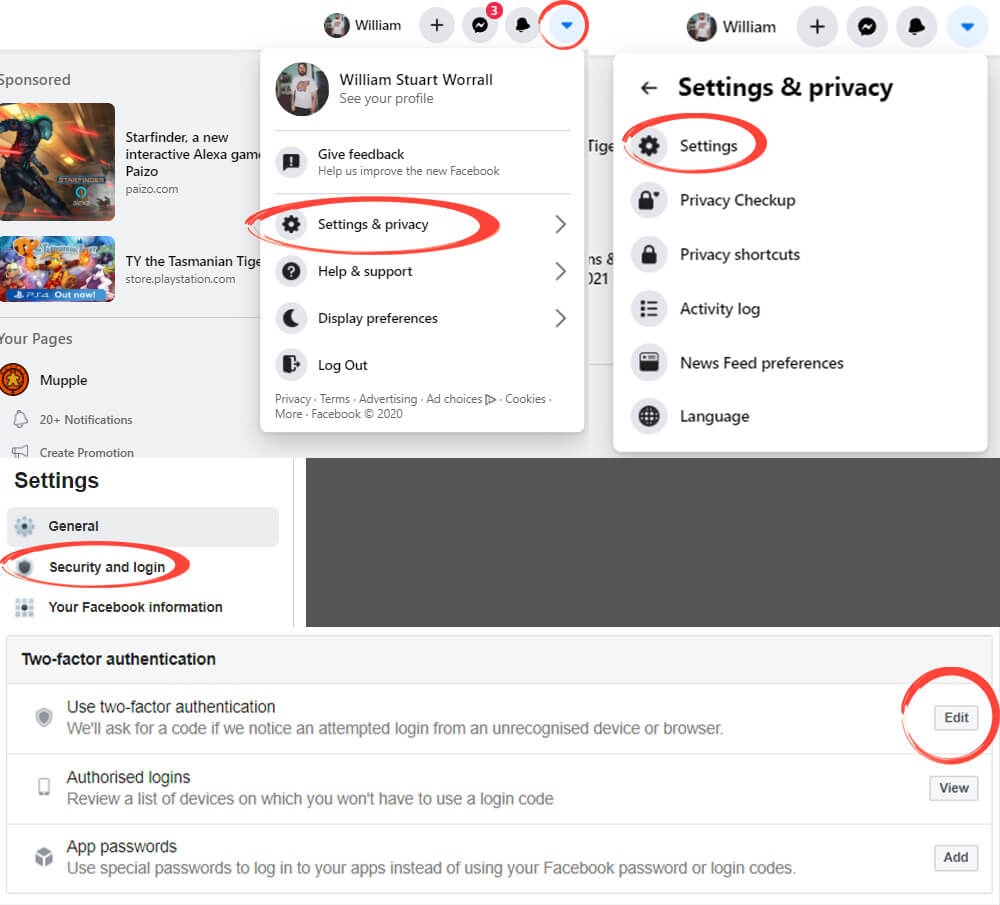
- Two-factor authentication (2FA): adds an extra layer of security to your account by requiring a verification code in addition to your password
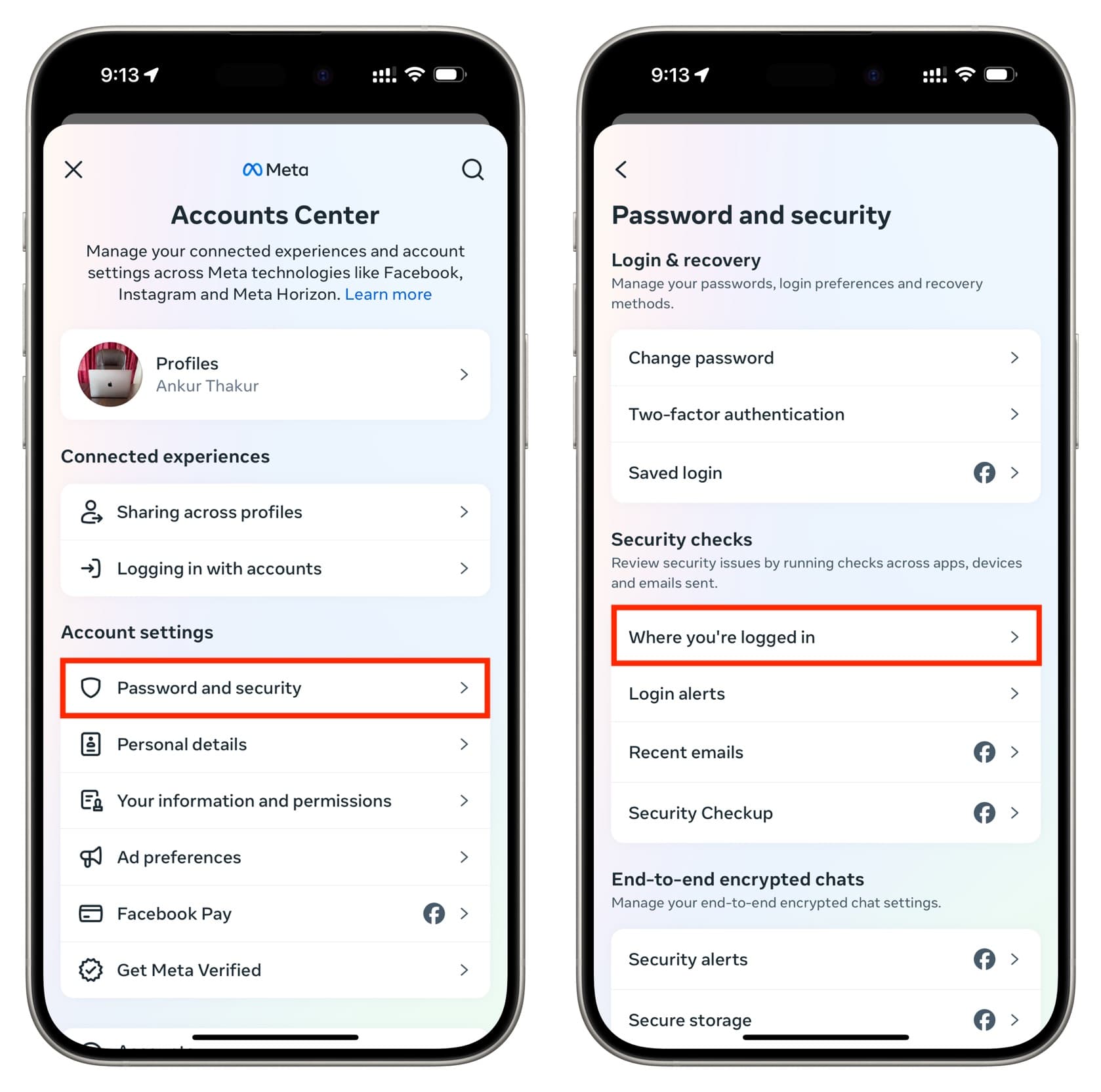
- Login alerts: notify you when someone tries to log in from an unrecognized device or location
- Account recovery: helps you recover your account in case you're locked out or have forgotten your password
- Secure sign-in: ensures that your account is accessed only through a trusted device and browser
Tips to Secure Your Facebook Account
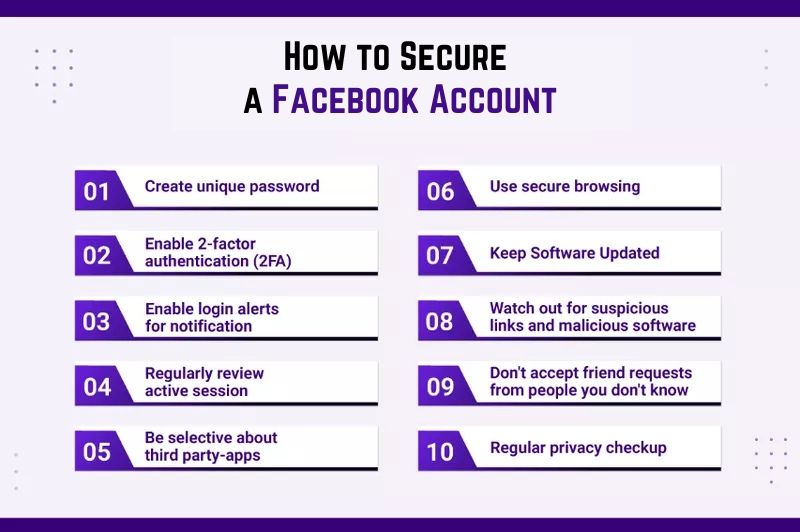
While Facebook's advanced security features provide robust protection, it's essential to follow best practices to maintain a secure account. Here are some actionable tips to keep your Facebook account safe:

- Use a strong and unique password for your Facebook account
- Enable two-factor authentication (2FA) to add an extra layer of security
- Be cautious when clicking on suspicious links or attachments
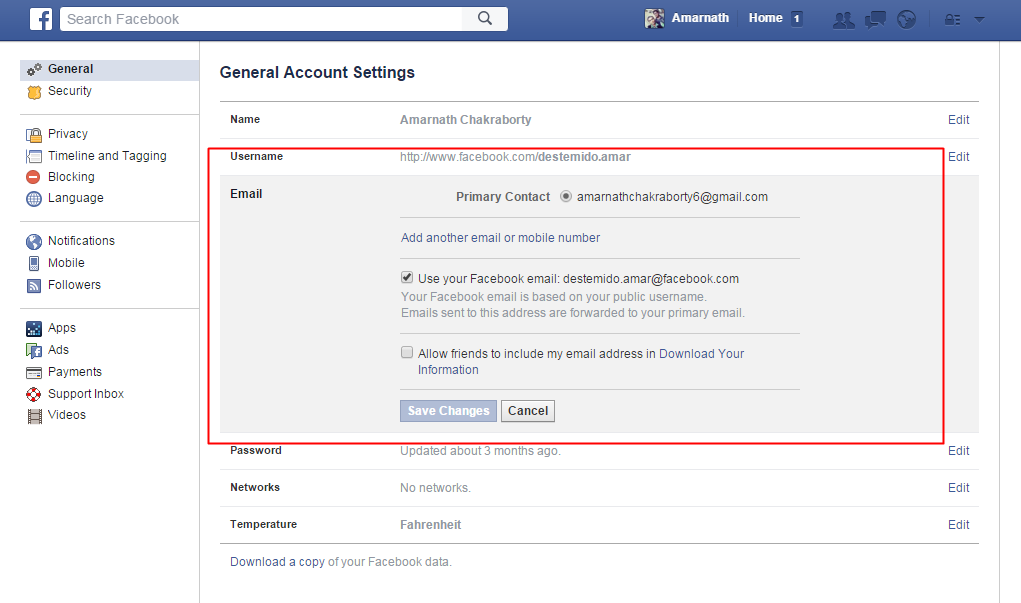
- Regularly review and update your security settings
- Monitor your account for any unauthorized activity
Additional Tips for Advanced Security
While following best practices is essential, there are additional steps you can take to further secure your Facebook account:
- Use a password manager to generate and store complex passwords for your Facebook account
- Regularly log in and out of your Facebook account, especially when using public computers
- Use a VPN (Virtual Private Network) to encrypt your internet traffic when accessing your Facebook account
- Monitor your account activity using Facebook's Activity Log
Conclusion
Securing your Facebook account is a critical step in maintaining online safety and security. By enabling advanced security features, following best practices, and taking additional steps to protect your account, you can ensure that your online identity remains protected. Remember, a secure Facebook account is your first line of defense against online threats, so take the necessary steps to safeguard your online presence today.
Final Thoughts
Security is an ongoing process, and it's essential to stay vigilant and proactive when it comes to protecting your Facebook account. Regularly review and update your security settings, be cautious when interacting with unfamiliar links or attachments, and take advantage of advanced security features to maintain a secure online presence.