Microsoft 365 Business Security Guide
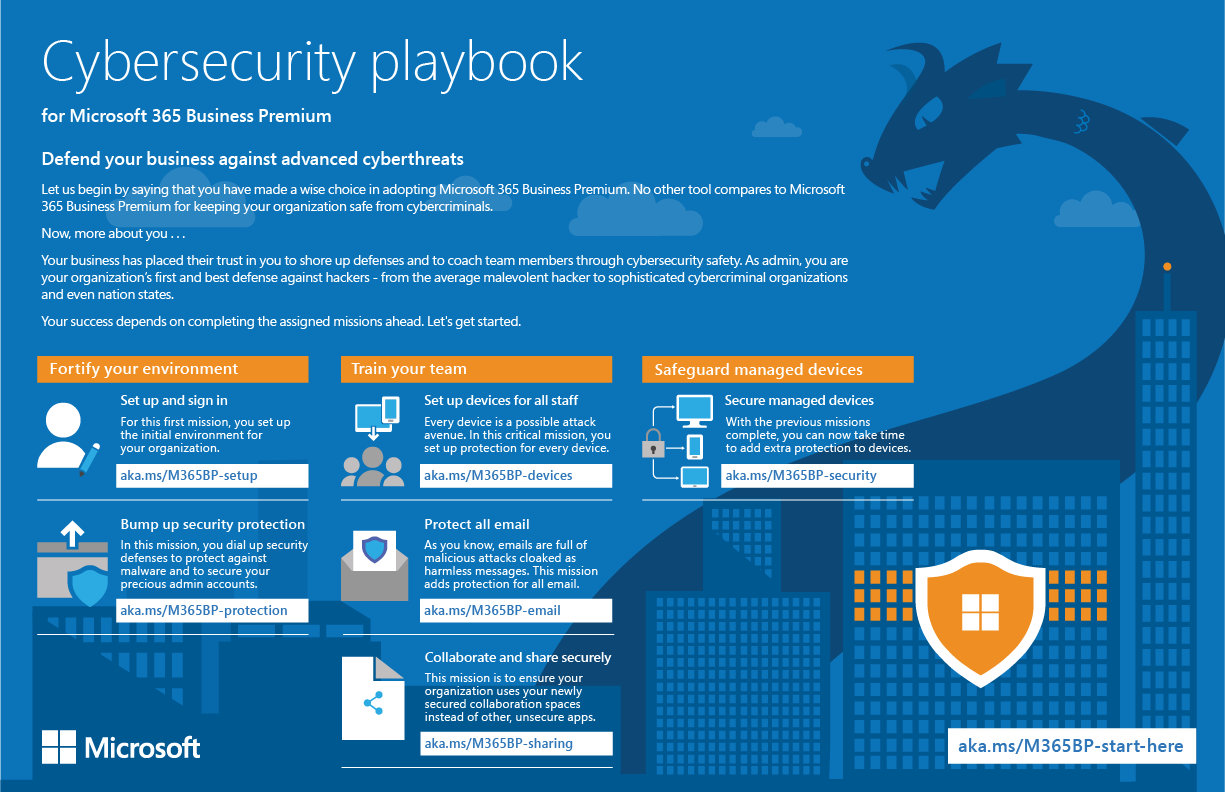
As a business owner, protecting your organization's data and devices from cyber threats is a top priority. With the rise of cloud computing and remote work, the threat landscape has become increasingly complex. In this guide, we will walk you through the best practices to keep your Microsoft 365 business secure and protect your digital assets from cybersecurity risks.
Understanding Microsoft 365 Business Security
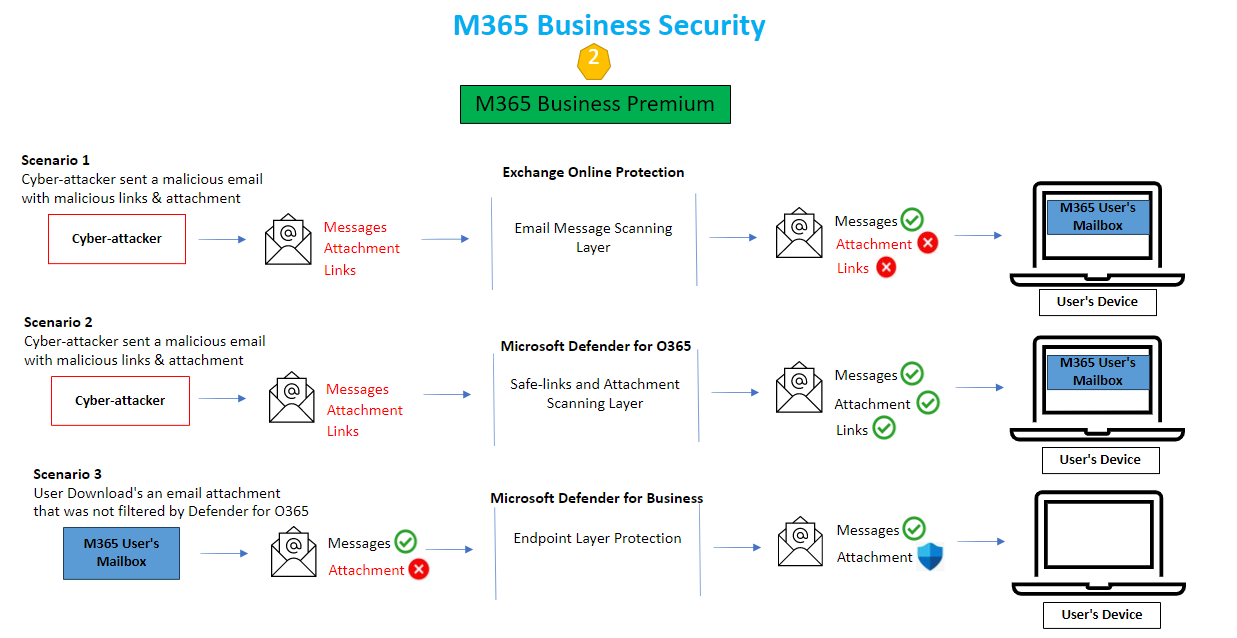
Microsoft 365 Business Premium is a comprehensive suite of collaboration products and enterprise-grade security tools curated specifically for businesses with 1 to 300 employees. It includes Office productivity apps and services, plus advanced security capabilities to help defend businesses against cyber threats, protect company data, and secure devices.
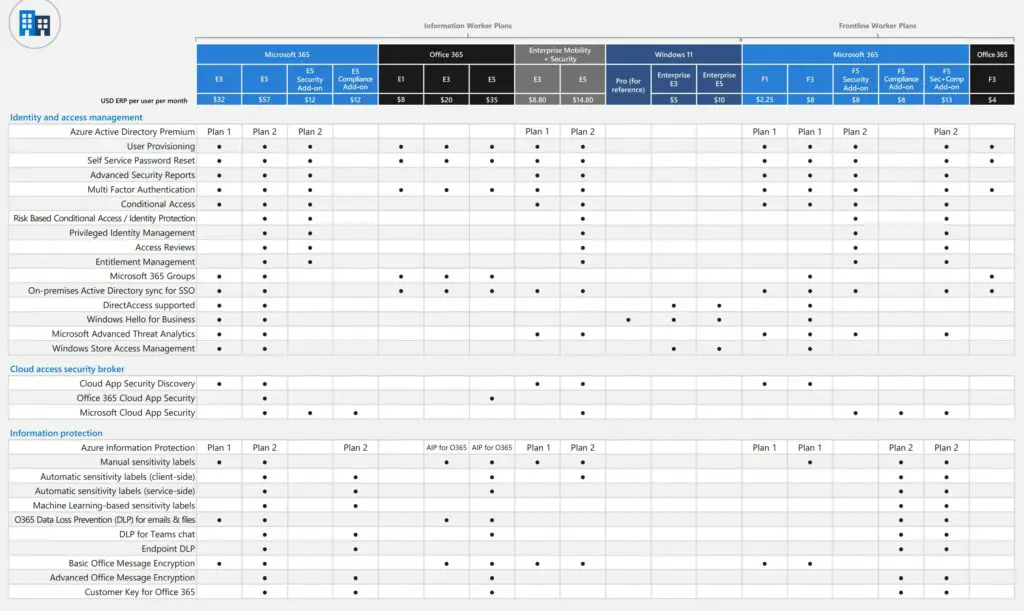
Key Security Features in Microsoft 365 Business Premium
- Advanced Threat Protection (ATP): Blocks malware and phishing attacks with machine learning and human analysis.
- Cloud App Security: Provides visibility and control over cloud data with AI-powered security and data loss prevention.
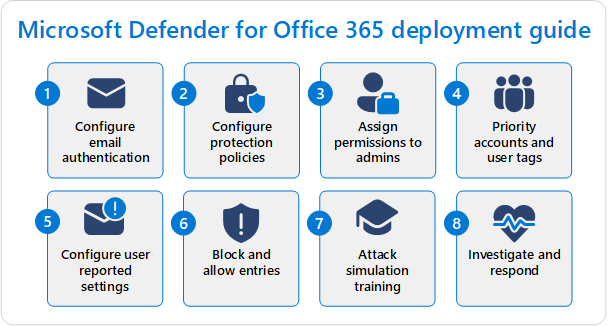
- Microsoft Defender for Office 365: Offers powerful email security software with phishing protection, secure collaboration tools, and advanced threat security.
- Conditional Access: Allows you to grant access to users based on their identity, device, and location.
Best Practices for Microsoft 365 Business Security
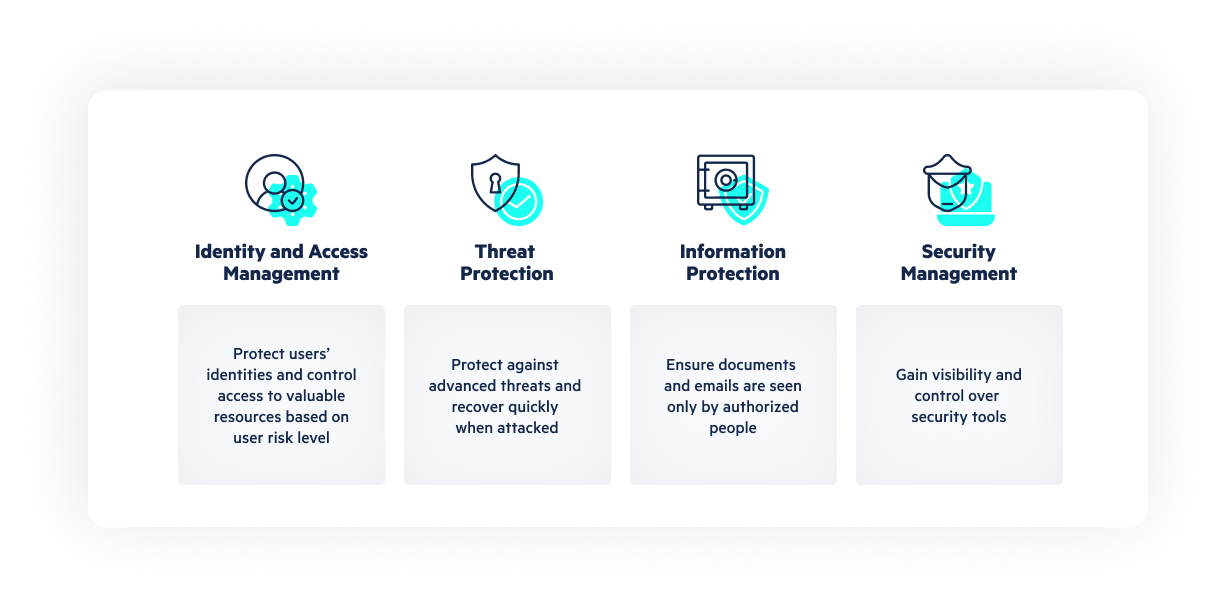
Here are some essential best practices to keep your Microsoft 365 business secure:
- Enable Two-Factor Authentication (2FA): Add an extra layer of security to prevent unauthorized access.
- Regularly Update Software and Patches: Keep your system and software up-to-date to patch vulnerabilities.
- Use Strong Passwords and Password Managers: Make sure employees use complex passwords and store them securely.
- Monitor User Behavior and Activity: Keep an eye on user activity to detect potential security threats.
- Implement Data Loss Prevention (DLP): Protect sensitive data from unauthorized access and exfiltration.
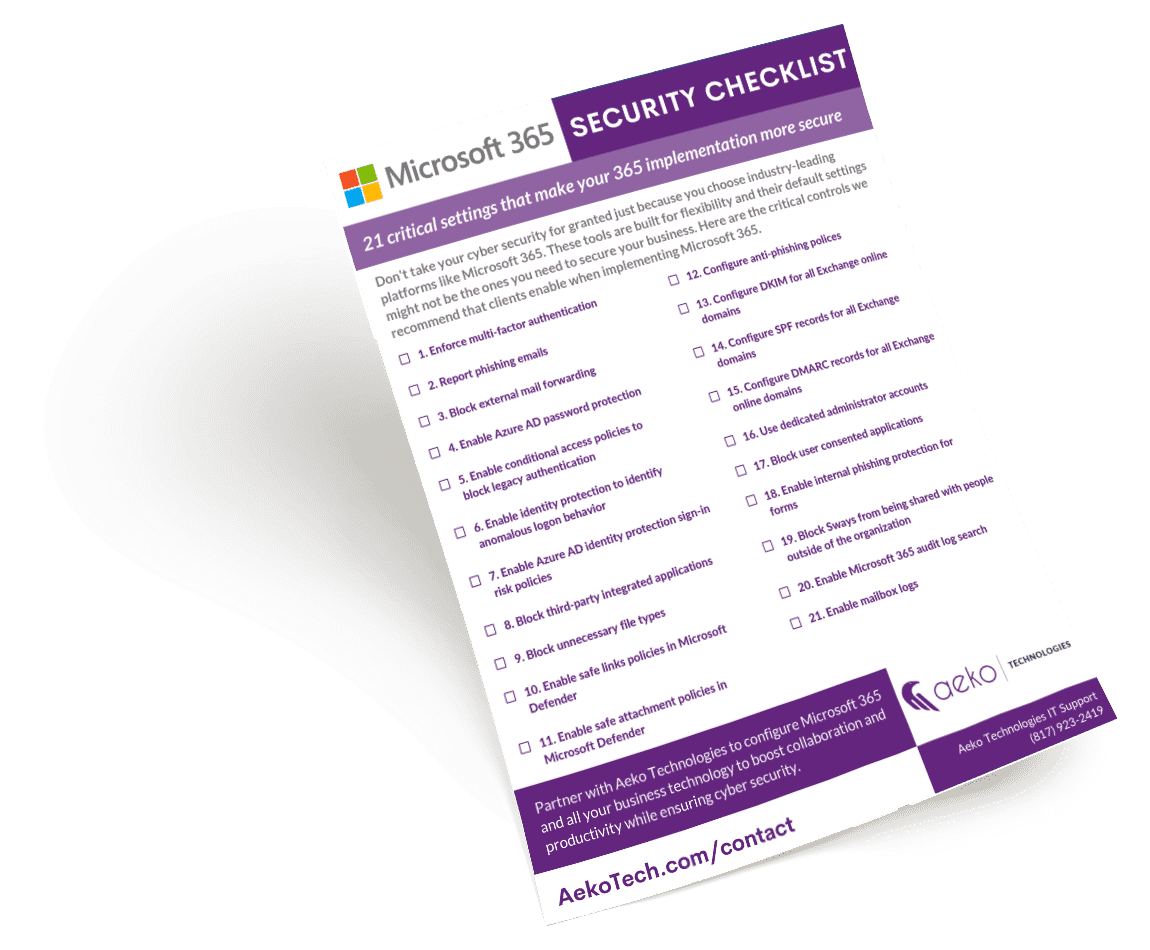
Microsoft 365 Business Security Checklist
Create a comprehensive security plan with our Microsoft 365 Business Security Checklist to ensure you're covering all the essential security bases.
Conclusion
In conclusion, Microsoft 365 Business Premium offers robust security features to protect your business from cyber threats. By following this guide, you'll be better equipped to safeguard your data, devices, and users from potential security risks. Remember to regularly review and update your security plan to stay one step ahead of evolving threats.