Protecting a PDF File: How to Safeguard Your Sensitive Information
Sharing sensitive information with others through a PDF file can be a convenient and secure way to transfer files. However, you may still be concerned about protecting your data from unauthorized access. Discover how to protect a PDF file with ease and confidence.
The Importance of Protecting a PDF File
Protecting a PDF file is crucial for businesses and individuals alike. PDF files often contain sensitive information such as financial reports, confidential data, and intellectual property. Without proper protection, this information can fall into the wrong hands, leading to potential data breaches, theft, or intellectual property theft.
How to Protect a PDF File with a Password
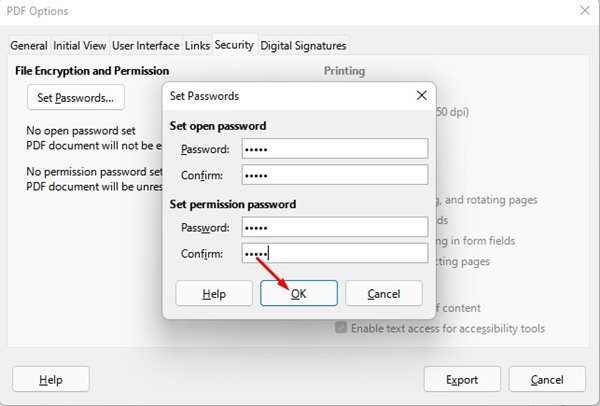
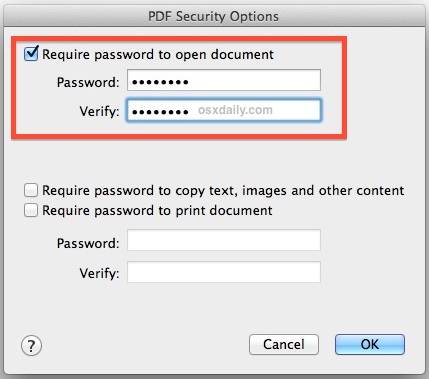
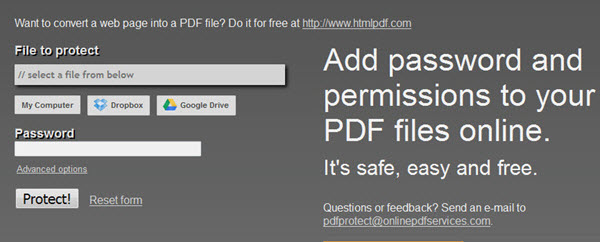
One of the easiest ways to protect a PDF file is by adding a password. This will prevent unauthorized access to the file and ensure that only those with the password can view the contents. To do this, you can use a desktop app or a web-based tool, such as Adobe Acrobat or password protection software.
Using a Desktop App or Web-Based Tool
- Open the PDF file in the selected app or tool.
- Click on the "Protect" or "Encrypt" option.
- Enter a strong password to protect the file.
- Save the file with the password protection.
Alternative Methods for Protecting a PDF File
While password protection is a popular method, there are other ways to protect a PDF file. Some of these alternative methods include:
Adding Security Permissions

- Set permissions to restrict access to the file to only those with the password.
- Restrict printing, copying, and extraction of data from the file.
Using Digital Signatures
- Apply a digital signature to the file to verify its authenticity and integrity.
- Use encryption and other security features to protect the file.
Watermarks as Copy Protection
- Add a watermark to the file to deter copying and unauthorized use.
- Make it clear that the protected document is confidential and belongs to the sender.
Measuring the Security of a Protected PDF File
When sharing a protected PDF file, you may be concerned about whether the file is truly secure. To measure the security of a protected PDF file, look for the following:
- Encryption: The file should be encrypted with a strong password or digital signature.
- Permissions: The file should have restricted access to only authorized users.
- Watermarks: The file should have a clear watermark indicating it's confidential and protected.
Conclusion
Protecting a PDF file is a straightforward process that can be achieved with a password, security permissions, digital signatures, or watermarks. By taking the necessary steps to protect your PDF file, you can ensure that sensitive information remains safe from unauthorized access and maintains its confidentiality.


:max_bytes(150000):strip_icc()/password-protected-pdfs-59a494d0aad52b00114ae3ac.PNG "Password Protect PDF | Lock PDFs with Password Protection")